jellyfin
jellyfin - destroy and rebuild
08:49
well i've had the unfortunate luxury of arch trying to break my jellyfin instance...this coupled with my adding of an nvme drive that i've wanted to use for transcoding and fully breaking the install by removing the transcode dir/files for jellyfin and not copying them :/ i was left with a half day trying to get the jellyfin instance back online before i hit the wall.
since i'd already managed the gpu passthrus and all that shit on arch (yeah I know it breaks things :) ), as a last shot effort i figured i'd give the docker version a try. i was obviously going to need to bring the instance up from the ashes anyway, so why not. also, as a little precursor, the docker instance was already there, running the full suite of arrs* so that part was done anyways.
first i had to remove everything that came before, i entered these commands line by line that you see in the code block below:
sudo pacman -Rscn jellyfin-web jellyfin-server jellyfin-ffmpeg
sudo rm -R /var/lib/jellyfin
sudo rm -R /var/cache/jellyfin
sudo systemctl stop jellyfin
sudo systemctl disable jellyfin
just for good measure i did a reboot after that, and then ran nvidia-smi to make sure the card was working still. it was, so i went ahead and got into my portainer instance to start working on the docker-compose. i pulled a few examples from the internet, including the jellyfin recommended one, but kept getting runtime and cdi errors during build. trying a docker run command i was able to see that i needed to build the container toolkit and so i used yay for that.
yay -S nvidia-container-toolkit
a little into it, it broke on a dependency....wont bother you with the details here, but i had to pull a backup of my arch server from 3 days ago, did a full restore and after boot and nvidia-smi the above command built and installed the files correctly.
so it seemed I was good, tried to deploy the stack again and had a couple more issues: errors for CDI and for runtime call. i went out on the internet and found a couple solutions. i needed to tell docker about the runtime:nvidia call in the docker-compose and have it built before i spun up the container. used the following commands below:
sudo nvidia-ctk cdi generate --output=/etc/cdi/nvidia.yaml
sudo nvidia-ctk config --in-place --set nvidia-container-runtime.mode=cdi
sudo systemctl restart docker
i also needed to add my user to docker so i could issue future docker commands without sudo:
sudo usermod -aG docker $USER
sudo nvidia-ctk runtime configure --runtime=docker
finally after this i was able to get the docker jellyfin container to build and was able to bring up the jellyfin server instance back to the boot splash. the last few details are setting up the transcoding options and directories. the final docker-compose.yml is:
services:
  jellyfin:
    image: lscr.io/linuxserver/jellyfin
    container_name: jellyfin
    environment:
      - PUID=1000
      - PGID=1000
      - TZ=America/Denver
      - NVIDIA_VISIBLE_DEVICES=all
    volumes:
      - /home/joe/jellyfin/config:/config
      - /zstor/data/media/tv:/media/tv
      - /zstor/data/media/movies:/media/movies
      - /zstor/data/media/music:/media/music
      - /transcode:/transcode
    ports:
      - 8096:8096
      - 8920:8920
    restart: unless-stopped
    runtime: nvidia
    deploy:
      resources:
        reservations:
          devices:
            - capabilities: [gpu]
i set up my users, pointed movies, tv and music from my nfs share (being passed thru), transcode directory (nvme passthough) and started setting up the transcode info in the Dashboard > Playback menu. I used the following from nvidia to search for all my gpu capabilities: https://developer.nvidia.com/video-encode-decode-support-matrix
and ticked the appropriate boxes. just out of my image there is also a selection for tone mapping that i selected, and down in the transcode folder, changed from the os files to the /transcode nfs share i had mapped in the docker-compose.
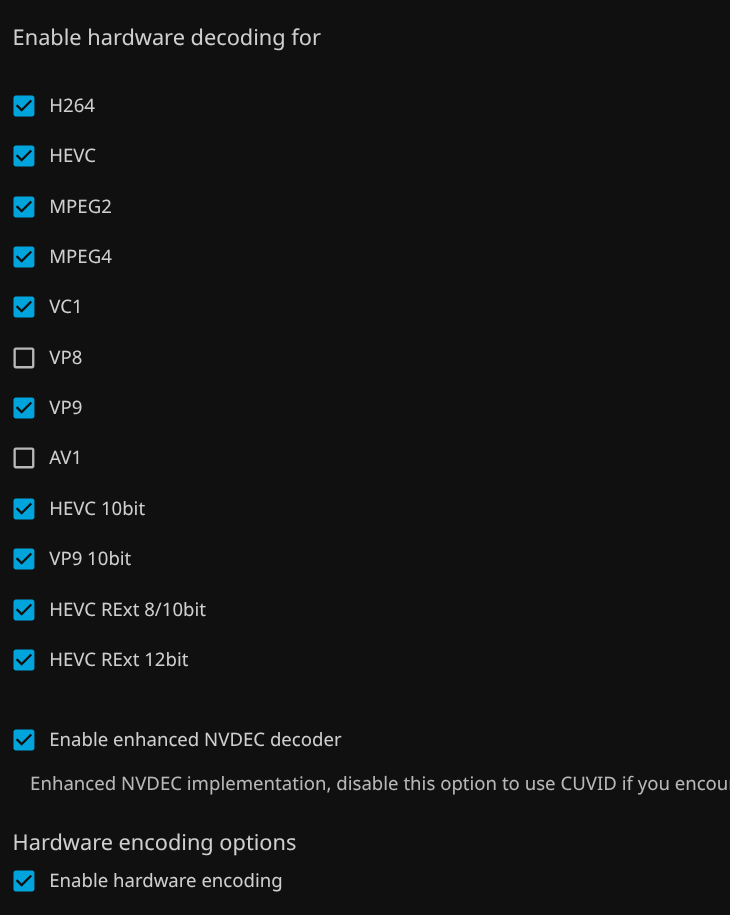
after this i spun up a movie. here's the output from nvidia-smi both on the host
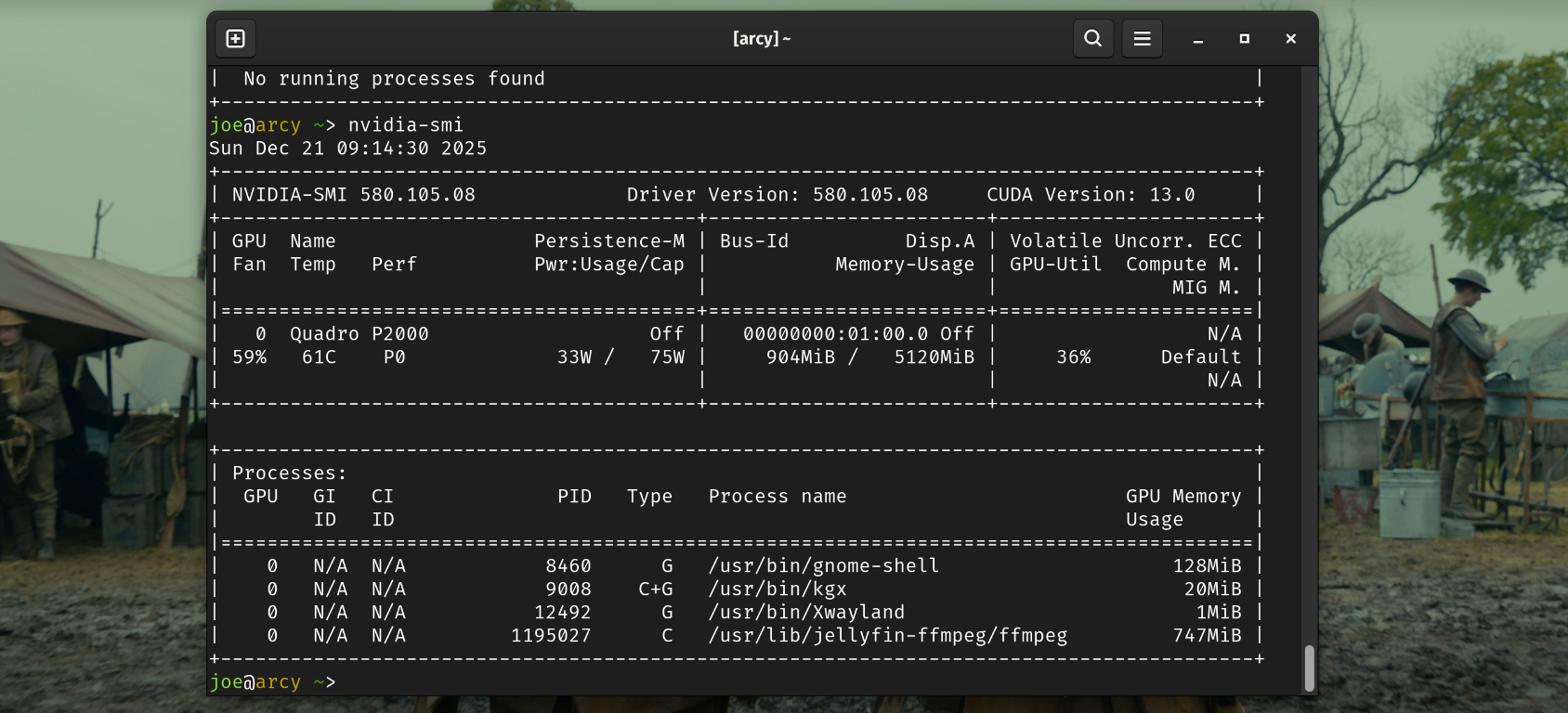
and using this command to see within the docker container:
docker exec jellyfin nvidia-smi
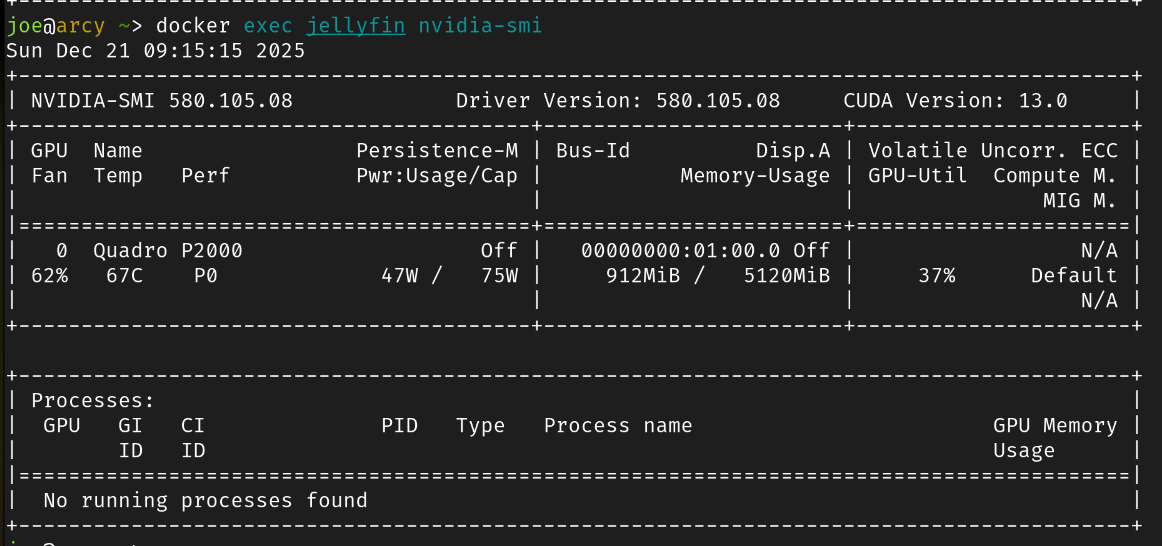
i find it interesting that the output of the docker exec comman shows the fan speed and total gpu% outputs, yet does't show the call for ffmpeg, in fact no processes at all. i chalking that up to ffmpeg actually executing on the host and not within the docker containers as it is all a passthough.
Update - block nvidia-open
so the most recent pacman -Syu broke my system - this is probable what caused the problem in the first place ;)
sudo nano /etc/pacman.conf
uncomment the IgnorePkg = and add the below
IgnorePkg = nvidia-open
after another pacman -Syu the upgrade said it had nothing to do, so hopefully this will by me time to sort out how to negotiate the nvida-open dilemma.
the AI search in duckduckgo says that the nvidia-open drivers wont work with older cards like maxwell and pascal, but i haven't dug into it at all